


GPS Maps & Voice Directions
4.23.00 Reviews
App Specs
- Version
- 1.0.5
- Updated On
- License
- Free
- Downloads
- 50,000+
- Developer
- Big Ocean Studio
- Categories
- Maps & Navigation
- Platform
- Android
Screenshots
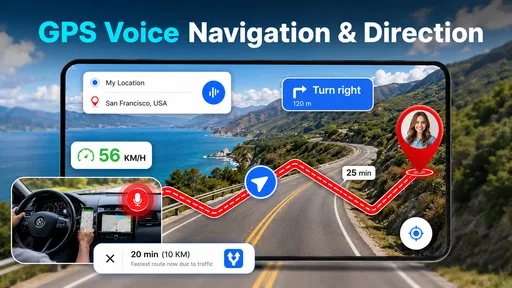
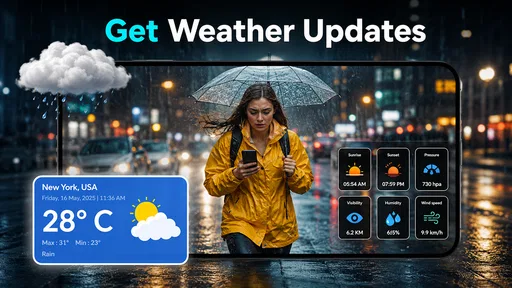
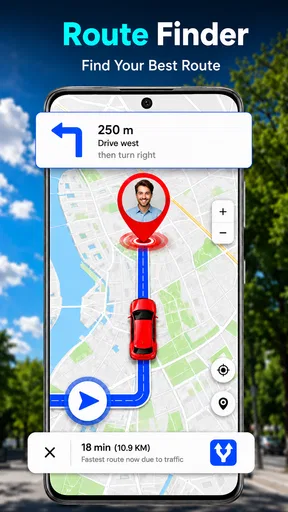
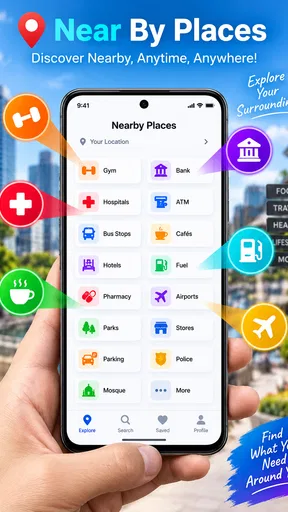
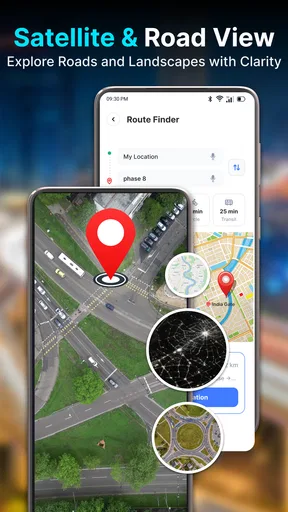
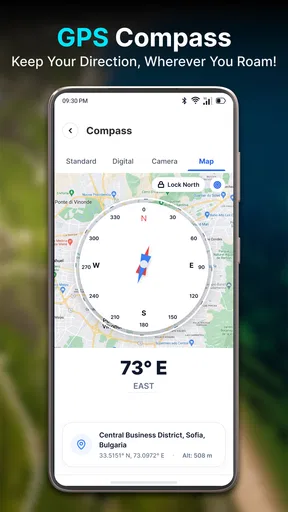
 Analysis by AppCompare
I tend to notice a navigation app most when something goes wrong: a voice instruction is missed, a destination is entered in a hurry, or a route seems to pause just as I need it. GPS Maps & Voice Directions is aimed at that everyday problem, bringing map-based directions and spoken guidance together in a free navigation app. My impression is that its appeal lies in the straightforward idea, but the usefulness of any GPS tool depends on a few practical checks—and on knowing when a problem is coming from the phone or surroundings rather than the app.
Where navigation can get stuck
GPS Maps & Voice Directions is made by Big Ocean Studio and sits in the maps and navigation category. It has a 4.2 average from around 860 ratings, and more than 50,000 installs. Those figures suggest that people are finding a use for it, though I would treat ratings as a starting point, not proof that it will behave identically on every phone or journey.
The most common friction with a navigation app is not necessarily a complicated menu. It is the gap between what the driver expects and what the phone can currently do: the location may take time to settle, a spoken cue can be hard to hear, or a destination may need a more precise search. I would test those basics before depending on the app for an unfamiliar trip.
Voice guidance is especially useful when I would rather keep my eyes on the road than keep checking a screen. It is not a substitute for paying attention to signs, lane markings, or changing road conditions. If a turn instruction sounds late or unclear, the sensible response is to follow the road safely and reassess when stopped—not to make a sudden maneuver to match the phone.
For a realistic routine, imagine leaving a busy shopping area for a friend’s home across town. I would enter the destination before pulling away, check that the map has settled on my current position, and confirm that the phone’s audio is audible in the car. That small pause can prevent several familiar annoyances: starting from the wrong side of a large lot, missing the first instruction, or trying to adjust settings while moving.
Destination entry deserves similar care. A short place name may match several locations, so I would verify the address or the intended result on the map before beginning. This is particularly worthwhile for large venues, apartment complexes, and places with entrances on different streets. A correct destination pin does not always mean the route ends at the exact door or access point I have in mind.
Check the phone before blaming the route
When the position appears inaccurate, I would first make sure the phone has a clear view of the sky and give its location a moment to settle. Tall buildings, covered parking, tunnels, and dense urban streets can interfere with satellite reception. If the location is drifting, repeatedly changing the destination is unlikely to solve the underlying issue; waiting until the signal steadies is a more useful first step.
Worth Reading Before You Choose

EA SPORTS FC Mobile 26 Is a Bigger Football Game, but It Takes Time

Flipboard Shows What News Apps Must Do Beyond the Feed

Switching to Android Auto Means Rethinking Your Driving Routine

Google Calendar Makes a Crowded Week Easier to Manage

Ludo King Makes the Most of the Minutes Between Plans

Baby Panda World Brings Quick Play to Modern Phones, but Its Game Library Feels Busy
Audio problems also have ordinary explanations. The phone may be muted, the volume may be set too low, or sound may be routed to a connected device. Before a trip, I would play a brief test with the phone configured as I plan to use it. If I am relying on a car connection or headphones, I would check that the sound is coming through the expected output rather than assuming the navigation voice is silent.
It is also worth checking that the app is current. The version listed is 1.0.5, and the minimum operating-system requirement is Android 7.0. If the app does not install or open as expected, I would check the phone’s Android version and available storage, then restart the device and try again. Those are basic, low-risk troubleshooting steps; they are more useful than changing several settings at once, which can make it harder to tell what fixed the issue.
The app is free to download and rated for Everyone. It also offers in-app purchases priced from $14.99 to $199.99 per item. I would look carefully at any purchase screen before confirming anything, especially if another person uses the phone. The free download is a low-commitment way to assess the core experience, but users should understand that optional purchases can involve substantial amounts.
A steadier workflow when directions go off track
If the route seems to have lost its place, I would avoid tapping around while driving. Pull over somewhere safe, check that the selected destination is still correct, and see whether the displayed position matches the real one. If the phone is still settling, waiting briefly may help. If the map shows that I have taken a different road, I would let the app recalculate if it does so, or restart the route while stopped.
A useful habit is to treat the first minute as a calibration check. Once moving safely, compare the displayed position with recognizable streets and listen for the first spoken cue. If those agree, I can pay less attention to the screen and use the voice prompts as intended. If they do not, it is better to pause and investigate than to follow a route that already appears inconsistent.
For an unfamiliar destination, I would keep a second reference in mind, such as a street sign or the address I entered. This is not a claim that the app has a special backup mode; it is simply a practical way to avoid treating one screen as infallible. It also helps when a place has several entrances or a long driveway, where the final stretch may require local judgment.
Before setting out, I would also decide how much of the journey I need the app to handle. For a familiar drive, it may be enough to use it as a reminder of turns. For a complicated trip through an unfamiliar district, I would start with extra time, check the destination carefully, and avoid making last-second route decisions based only on a spoken prompt. Navigation is most helpful when it reduces mental load, not when it becomes another source of pressure.
When the app may not be the cause
GPS accuracy depends on more than the navigation app. A weak satellite view, poor connectivity, an older or misconfigured phone, and audio settings can all affect the experience. If the location problem occurs in several mapping apps, that points toward the device or environment rather than one particular route. Trying the same location outdoors, away from tall buildings, can help distinguish a temporary reception issue from a persistent phone problem.
Likewise, a route that looks inconvenient is not automatically a software failure. Road closures, restricted turns, private entrances, and recently changed access can make a map’s suggested approach less suitable than local signs. I would use the app as a guide while giving priority to road rules and visible conditions. If a route repeatedly causes trouble in the same place, choosing another mapping service for that journey may be the more sensible option.
This is where comparison with familiar alternatives matters. Established mapping apps are often a better choice for people who depend on extensive place details, specialized travel information, or a feature-rich planning routine they already know well. GPS Maps & Voice Directions makes more sense for someone seeking a focused way to get directions and hear guidance, without needing to make it the center of a broader travel-planning setup.
I would not choose it as my only navigation option if my work depends on highly dependable, detailed routing in remote areas or if I need a specific feature that another app already provides. Nor would I expect voice prompts alone to solve difficult driving decisions. Its best role is as a practical aid for ordinary journeys, with the driver still checking signs and using judgment.
Who is likely to find it useful
I can see this app suiting someone who wants to try voice-led directions without paying upfront, or who needs a simple navigation option for errands and occasional unfamiliar drives. It may also be useful to a passenger who can enter destinations and monitor the route while the driver concentrates on the road. The combination of a map and spoken instructions addresses two different needs: seeing where the route goes and hearing when to act.
It is less compelling for someone already happy with a navigation app that handles their saved places, route planning, and other travel habits. Switching has a cost even when the download is free: destinations and routines may need to be rebuilt, and the new app has to earn trust through use. I would try it on a familiar, low-pressure route before relying on it for an important appointment or a drive through an unfamiliar area.
For readers wondering whether it is suitable for a quick trial, it is free to install, intended for everyone, and supports devices running Android 7.0 or later. Those are useful basics, but compatibility alone does not guarantee that the phone’s GPS or audio setup will work well. Testing the app at home or on a short local trip is a better way to judge whether it fits a particular device and driving routine.
What a careful trial can tell you
I would use a short loop through streets I already know to judge more than whether the map opens. Notice whether the position follows the road, whether spoken cues arrive with enough time to act, and whether the screen is readable from its mounted position without leaning toward it. A familiar route gives me a useful reference: I can recognize a mismatch without having to solve navigation and phone setup at the same time.
That trial also helps answer a practical question: can I hear the instructions in the environment where I actually drive? A quiet room is a poor test of car audio. I would check at a safe stop with the usual music or other audio setup in place, then adjust the phone’s ordinary sound controls before setting off again. If the cues remain hard to hear, I would not compensate by staring at the screen more; I would choose a different way to navigate.
For a passenger-led trip, I would agree on who handles the phone before leaving. The passenger can check the destination and watch for confusing approaches, while the driver keeps attention on driving. If I am alone, I would finish route selection while parked and avoid trying to refine a destination at traffic lights or in a queue. A navigation tool is most useful when the interaction happens before the demanding part of the journey.
Choosing the right kind of navigation help
The main trade-off is focus versus breadth. A familiar, feature-rich map service can be better when I want to research a place, compare businesses, organize a longer itinerary, or rely on established personal routines. This app is easier to consider when my immediate need is simply to follow a route with spoken guidance. I would not switch merely because a different interface looks simpler; I would first ask whether it solves a real annoyance in my current setup.
There is also a difference between planning and following. If I need to think through several stops, compare possible routes, or coordinate a complicated day, I would do that planning separately and use a navigation app for the leg I am driving. Keeping those tasks distinct reduces rushed decisions. For one direct trip, a focused directions app may be enough; for a day built around many changing destinations, a broader mapping tool may suit me better.
Neither approach removes the need to check the last part of a journey. A venue can have a public entrance on one side and a service road or parking access on another. I would use the address and visible road signs to confirm the approach, especially when arriving somewhere large or unfamiliar. If the final instruction conflicts with a barrier, sign, or road restriction, I would follow the real-world information and stop safely to reassess.
My practical verdict
GPS Maps & Voice Directions is worth considering if the main thing I want is a map paired with spoken directions, and I am willing to check the phone’s location and audio before setting off. Its 4.2 average and growing audience give it a reasonable first impression, but my recommendation is measured: test it on an easy journey, verify the destination, and see whether the prompts are clear in the way you actually travel.
Big Ocean Studio’s app is not a replacement for safe driving, current road signs, or a more specialized navigation tool when those are important to you. The best practical takeaway is simple: set up the route while parked, give location reception a moment to settle, and troubleshoot calmly if the map and road disagree. If that focused approach matches your needs, the free download makes a low-risk trial possible—just review any optional purchase carefully before spending.
Overall, I would recommend GPS Maps & Voice Directions to someone who wants a straightforward navigation aid and does not need a long list of advanced extras. I would keep another option available for trips where extra place detail or specialized routing matters. Used with realistic expectations, it can make everyday directions easier to follow; used as an unquestioned authority, it can create the very distraction a navigation app is meant to reduce.
Pros
- Voice prompts make it easier to follow routes without watching the screen.
- Turn-by-turn directions help clarify upcoming maneuvers.
- GPS-based navigation can guide you while driving or walking.
- Map and route features are useful for planning trips in advance.
- A straightforward navigation focus can make common tasks easy to find.
Cons
- GPS use may drain your battery quickly on longer journeys.
- Navigation accuracy can vary with GPS reception and map data.
- Voice directions may be hard to hear in noisy surroundings.
- Following directions requires attention and should not distract drivers.
- Some features or map details may depend on an internet connection.
FAQs for GPS Maps & Voice Directions
What is GPS Maps & Voice Directions used for?
GPS Maps & Voice Directions is designed to help you plan routes and navigate to destinations using map guidance and spoken directions. It can be useful for everyday trips, unfamiliar areas, and journeys by car or other supported travel modes. Available features may vary by version and region, so check the app listing and its settings to confirm which map, routing, and navigation options are offered on your device.
Does GPS Maps & Voice Directions work without an internet connection?
Whether you can navigate offline depends on the app’s version and whether it supports downloading maps for advance use. Some navigation functions may require a live internet connection for map details, route updates, or traffic information, while GPS positioning itself can often work without mobile data. Before relying on the app in an area with poor coverage, check for an offline-map option and download any needed map data in advance.
Does the app provide spoken turn-by-turn directions?
The app’s name indicates that voice directions are a central feature, but the exact guidance options can depend on your device, selected route, and app version. Check that voice guidance is enabled, your media volume is audible, and the phone is not muted or connected to an output you cannot hear. If instructions seem delayed or missing, review the app’s audio settings and allow any requested permissions needed for navigation.
What permissions and personal information might GPS Maps & Voice Directions require?
A navigation app generally needs access to your device’s location to show where you are and guide you along a route. Depending on its features, it may also request permissions for notifications, audio, or other functions. Review the permission prompts and the app’s privacy information before accepting them, and grant only what you are comfortable with. Location access may be available as an approximate or precise setting on supported devices.
Is GPS Maps & Voice Directions free, and will it work on my phone?
The app’s price, advertisements, optional purchases, and device requirements can change, so check its current Google Play or App Store listing before downloading. Confirm that your phone’s operating-system version is supported and that you have enough storage for the app and any map data. Also review recent user feedback and the listed developer details, since availability and specific navigation features may differ by country and app release.


